
Caarisma Analysis
Every scan is analysed automatically. The results describe the face in three indices, show which features drive them, and point to where improvement is possible.
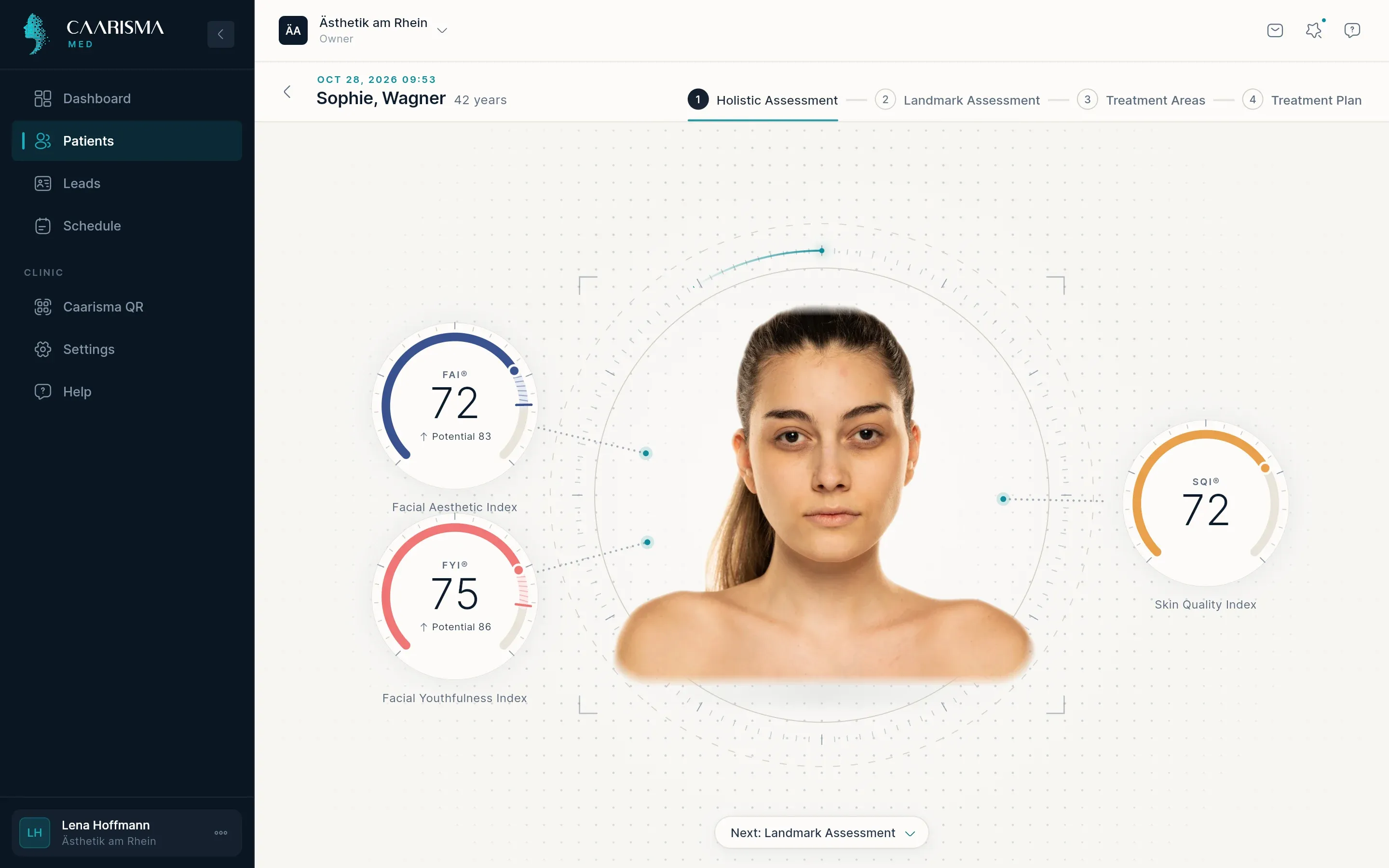
- 01
Open the results
On the patient's page, click 'View results'. The results screen is organised in steps you move through by scrolling, and the hint at the bottom of the screen always names the next one.
Where in the app
Patients › patient › View results - 02
The three indices
FAI®, FYI® and SQI® summarise the face. Each is shown next to the typical range for the patient's age group, so you can see at a glance whether a score is typical, above or below average.
- 03
Key potentials
The key drivers list the facial features with the most influence on each index. Switch between 'Current status' and 'Improvement potential' to see either today's score or the gain still achievable. The features with the largest potential are usually where a treatment conversation starts.
- 04
Skin quality
The skin analysis scores each criterion from 0 to 100 — higher means fewer visible signs — in three groups. Focus areas and strengths are picked out for you, and when you compare scans it shows what improved most and what declined.
Try it in your own practice
Set up your practice in minutes, add your first patient and read your first analysis today — or let us walk you through it.
14 days free · Cancel anytime · Hosted in Germany